Bearing, Distance and Coordinate Calculator in Excel: Inverse, Polar and Angle Converter
- XLSX
- 19 KB
- Version 1.0
- English
- October 23, 2026
Ready to download
Editable Excel file
This sheet is also available in: العربية
Two calculations come up in a surveyor’s every day: how far and in what direction is it between two points whose coordinates I know, and what are the coordinates of a point so many metres away in a given direction from a known point. In surveying they are called the inverse and the polar (or forward) solutions, and they underlie all setting-out and checking.
This sheet puts both in two tidy sheets, with a third for converting angles (decimal degrees, degrees minutes seconds, gon and radians) and slopes (percent, degrees and 1:n). Results appear in two forms: the azimuth from north, and the quadrant bearing (north so many degrees east) as usually written on deeds and plans.
Who is it for?
- Surveyors and setting-out engineers
- Road and infrastructure engineers checking distances and grades
- Surveying students
- Anyone handling coordinates and directions on drawings and sites
What is inside the sheet?
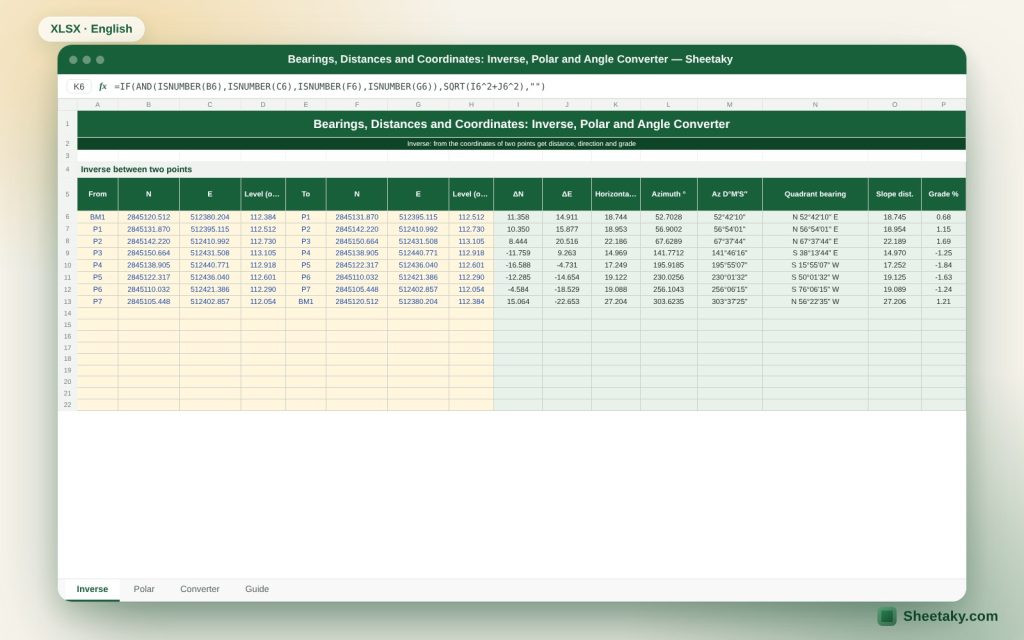
- Inverse for twenty pairs of points: ΔN, ΔE, horizontal distance, azimuth in decimal and D M S, and quadrant bearing
- Slope distance and grade % when levels are entered
- Polar for twenty points: new coordinates, AutoCAD angle, a LINE command and a POINT command
- A converter: degrees ↔ D M S ↔ gon ↔ radians, reverse azimuth, angle between two azimuths, grade % ↔ degrees ↔ 1:n
- A guide sheet
How to use it
- For the inverse: enter two points per row (levels optional) and read the distance, azimuth, quadrant bearing and grade.
- For the polar: enter the start point, azimuth (D M S) and distance, and the new coordinates and a ready LINE command appear.
- For conversion: enter the value in the yellow cell on the converter sheet and read the result.
- Copy the LINE or POINT commands into AutoCAD if you want to draw.
Formulas used
ΔN = N₂ − N₁ , ΔE = E₂ − E₁Horizontal distance = √(ΔN² + ΔE²)Azimuth = angle whose tangent is ΔE ÷ ΔN, corrected to 0–360N₂ = N₁ + D × cos Az , E₂ = E₁ + D × sin AzAutoCAD angle = 90° − AzGrade % = (Z₂ − Z₁) ÷ horizontal distance × 100
Worked example from the sheet itself
Inverse between BM1 and P1: ΔN = 11.358 m and ΔE = 14.911 m, so the horizontal distance is 18.744 m and the azimuth is 52°42′10″, that is north 52°42′10″ east.
- The level difference is 0.128 m, so the slope distance is 18.745 m and the grade 0.68%.
- Polar from the point (5000, 5000) at 45°30′10″ for 120.500 m: the new coordinates are northing 5084.455 and easting 5085.951, and the AutoCAD angle is 44.497°.
- The resulting command is LINE 5000,5000 @120.5<44.497.
Azimuth, bearing and the AutoCAD angle
The azimuth is measured from north clockwise from 0 to 360 degrees, so east is 90, south 180 and west 270. The quadrant bearing is written as an angle smaller than 90 with two letters: north or south first and east or west last, such as north 52°42′10″ east. It is an old style still common on deeds and land plans.
AutoCAD measures its angles from east anticlockwise. So an azimuth becomes an AutoCAD angle with 90 − Az (adding 360 if the result is negative). The sheet makes this conversion in the polar sheet and gives you the complete command.
Converting between systems quickly
- Azimuth to quadrant bearing: if Az is between 0 and 90 it is north Az east. Between 90 and 180 it is south (180 − Az) east. Between 180 and 270 it is south (Az − 180) west. Between 270 and 360 it is north (360 − Az) west.
- Reverse azimuth = Az + 180 (or − 180 if it exceeds 360).
- The clockwise angle from the first azimuth to the second = (Az₂ − Az₁) mod 360.
Uses of the inverse on site
To check a distance measured by tape against the coordinate distance, to compute distance and direction between two control points before setting out, to find the grade of a pipe or road from the levels at its ends, and to turn a polygon into a side table printed on the plan.
In checking: if a contractor gives you a distance between two columns, compute the distance from their coordinates and compare. A difference beyond tolerance means an error in setting-out or in the coordinates.
Uses of the polar solution
When you know one point and need another at a known distance and angle, such as the position of a column from a gridline, offset points that protect setting-out marks from excavation, or extra reference points around a structure by angle and distance.
It also helps in drawing: instead of computing the end coordinates yourself, take the ready LINE command, which uses relative polar entry @distance<angle, so AutoCAD draws the line from a known point by direction and distance directly.
Degrees, minutes and seconds mistakes
The most common mistake is writing 45.30 as 45°30′ when it really is 45.30 decimal degrees (45°18′). The sheet separates the fields: degrees, minutes and seconds in three cells to avoid this confusion. Minutes and seconds also never exceed 60, and the input cells check that.
Remember that one arc second over 100 metres gives an offset of only about 0.5 mm, so do not demand excessive precision of direction at short distances.
Which north: grid, true or magnetic?
The directions here depend on the axes of the coordinate system you work in, so they are grid directions if the coordinates are grid (such as UTM). Grid north differs from true north by an angle called convergence that changes from place to place, and from magnetic north by the magnetic declination.
Do not mix the types in the same calculations. It is good practice to note on the plan which north you use.
Tips for best results
- Use the inverse rows to check every distance before setting-out.
- Record the quadrant bearing on the official plan to match the deed.
- Watch the grade sign: positive means rising from the first point to the second.
Frequently asked questions
How do I know the direction is right?
Draw the line with the resulting command or with two points in AutoCAD and run LIST on it to see the AutoCAD angle, then compare it with the sheet angle.
Does the inverse work anywhere in the world?
It works on plane coordinates. For geographic coordinates (latitude and longitude) other geodetic equations are needed.
Why is the direction blank?
It is blank when the distance is zero, that is both points coincide, or when a coordinate is missing.
Do I need the level?
No, it is optional and used only for slope distance and grade.
Download the sheet
Press the download button at the top of the page to get the Excel file. It includes a full guide sheet, yellow input cells and formulas protected from accidental edits. The sheet is also available in Arabic from the language switcher.
The sheet is a calculation aid. Check the coordinate system and north direction in your work.
Related sheets
Land surveying
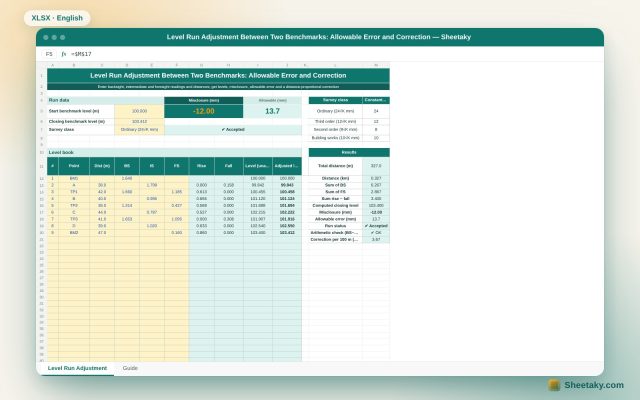
Level Run Adjustment in Excel: Misclosure, Allowable Error and Correction
An Excel sheet for a level book between two benchmarks of known level: it computes levels by the…
Land surveying
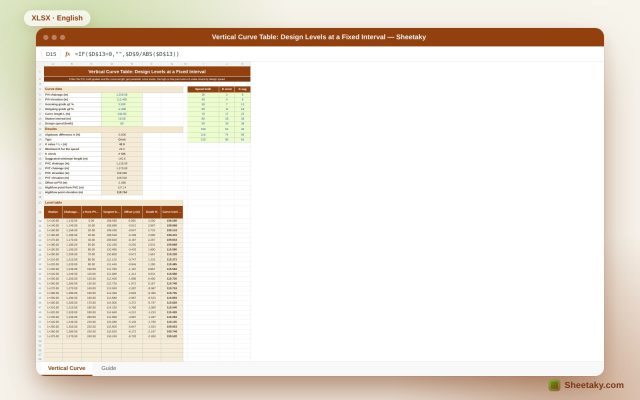
Vertical Curve Table in Excel: Design Levels, High Point and K-Value Check
An Excel sheet for designing a parabolic vertical curve between two grades: it gives a level table at…
Land surveying
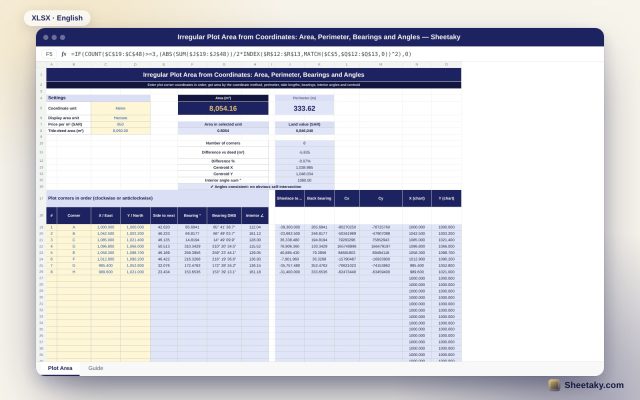
Irregular Plot Area from Coordinates in Excel: Area, Perimeter and Bearings
An Excel sheet that computes the area and perimeter of an irregular plot from its corner coordinates, with…