Monthly Payroll Sheet in Excel: Overtime, Absence, GOSI and Net Salary
- XLSX
- 15 KB
- Version 1.0
- English
- October 22, 2026
Ready to download
Editable Excel file
This sheet is also available in: العربية
Payroll repeats the same steps every month, and any mistake in overtime, absence or GOSI shows up as an employee complaint or a bank transfer mismatch.
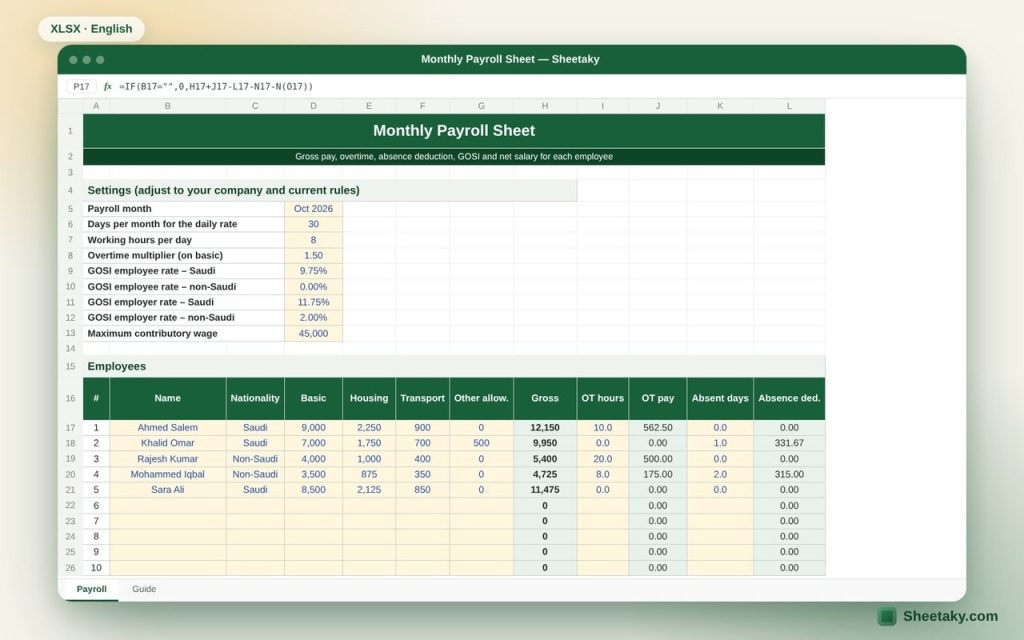
This sheet puts all the calculations in one table with editable settings: days per month, working hours, overtime multiplier, GOSI rates for Saudi and non-Saudi staff and the contribution cap.
Who is it for?
- Small and medium business owners
- Accountants and HR staff
- Contractors running labor payroll
What is inside the sheet?
- Thirty employees: basic, housing, transport and allowances
- Overtime by hours with an editable multiplier
- Absence deduction by days
- GOSI for employee and employer by nationality with the cap
- Column totals for the transfer file
- A warning for negative net pay
How to use it
- Review the settings and adjust GOSI rates for your company.
- Enter each employee name, nationality, basic and allowances.
- Enter overtime hours, absent days and deductions for this month.
- Read the net salary and totals.
Formulas used
Basic hourly rate = basic ÷ 30 ÷ 8, overtime = hours × hourly rate × 1.5Absence = gross ÷ 30 × absent daysGOSI = min(basic + housing, cap) × rateNet = gross + overtime − absence − GOSI − deductions
Worked example from the sheet itself
A Saudi employee with basic 9,000, housing 2,250 and transport 900 worked 10 overtime hours:
- Overtime = 10 × (9,000 ÷ 30 ÷ 8) × 1.5 = 562.50, and employee GOSI = 11,250 × 9.75% = 1,096.88.
- Net = 12,150 + 562.50 − 1,096.88 = 11,615.63, and the employer GOSI share is 1,321.88.
Tips for best results
- Save a copy for each month named by the month.
- Check GOSI rates on the GOSI portal; they can differ by registration date.
- Match total net pay with the wage protection file before transferring.
Frequently asked questions
How is overtime calculated under the labor law?
Overtime pay equals the hourly wage plus 50% of the basic hourly wage. The multiplier in the sheet is editable.
Are the GOSI rates right for everyone?
They are editable defaults and may differ under new rules and registration dates, so verify them.
Can it handle more than 30 employees?
Unprotect the sheet and copy more rows, or use one file per branch.
Download the sheet
Press the download button at the top of the page to get the Excel file. It includes a full guide sheet, yellow input cells and formulas protected from accidental edits. The sheet is also available in Arabic from the language switcher.
GOSI rates are defaults; check the rates that apply to your company.
Related sheets
HR & payroll
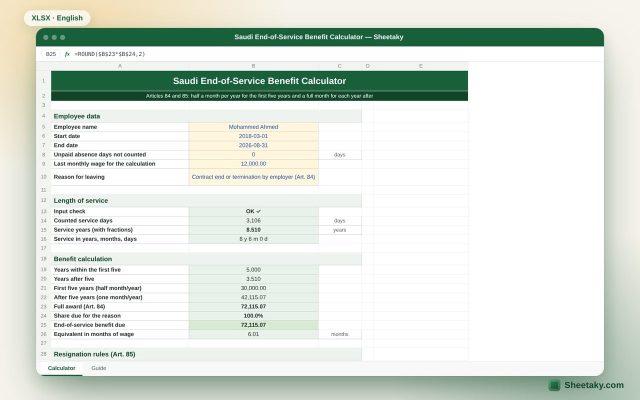
Saudi End-of-Service Benefit Calculator in Excel (Labor Law Articles 84 and 85)
An Excel sheet that calculates the end-of-service benefit for private sector employees in Saudi Arabia: service with fractions,…

HR & payroll
Monthly Employee Attendance Sheet in Excel with Auto Totals
A monthly attendance sheet in Excel for 15 employees that calculates present, absent and leave totals for each…